
Pick a quoting model
Use mid-price or grid bots for the markets and venues each model supports.
Run a quoting bot in your own server-side environment, not your browser. Choose a quoting model, set the spread and capital allocation, and let the bot manage its orders for the duration you specify.
Configure a bot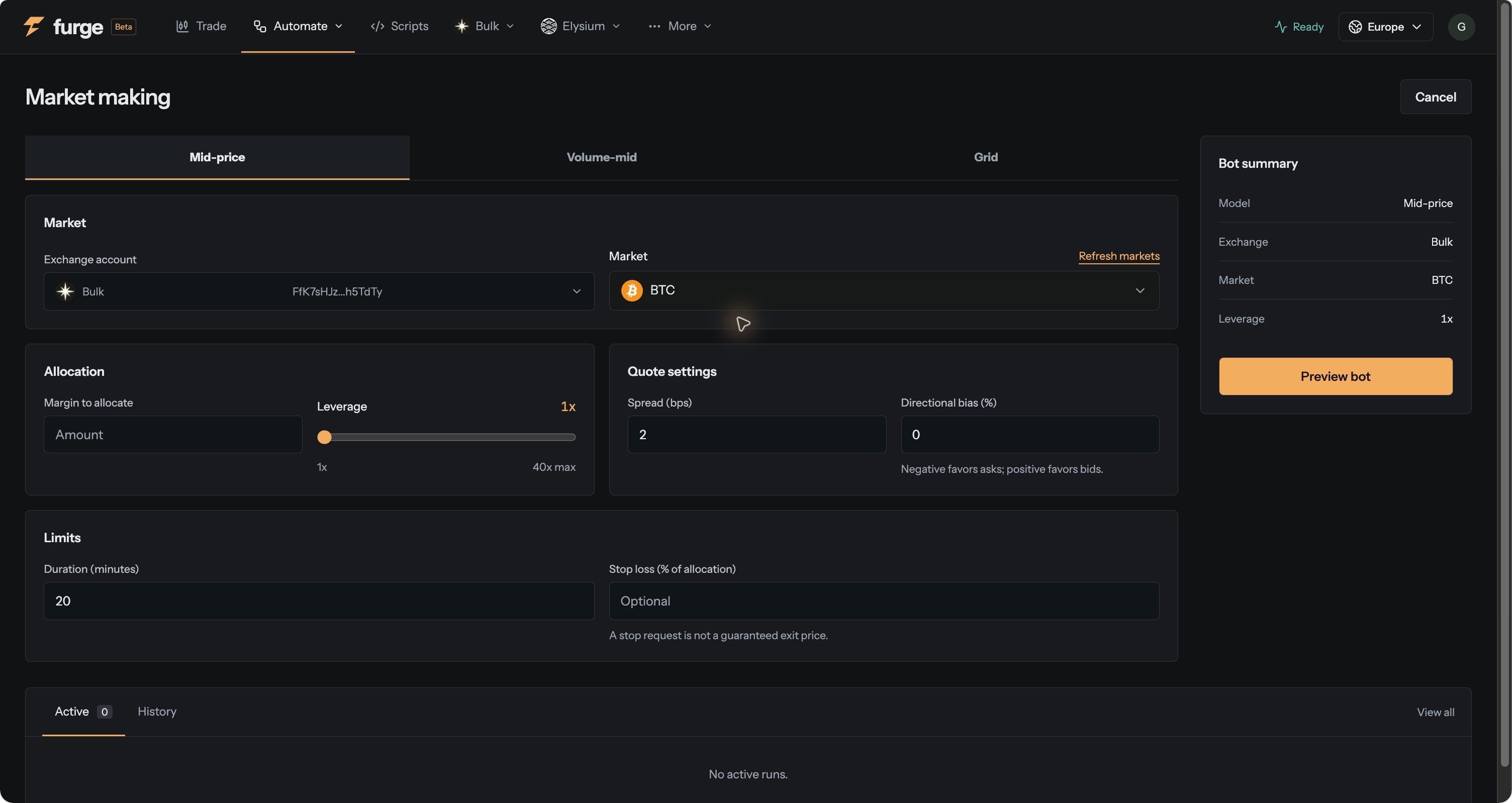
Use mid-price or grid bots for the markets and venues each model supports.
Define size, spread, levels and duration in the configuration. Preview the resulting orders before you start.
Track active runs, order events and reported fills from Furge. Close the browser without ending the run, and return to inspect or stop it.
Start with a built-in model and make its operating parameters explicit. Your runtime manages the run; the workspace gives you the controls and the record of what happened.
Market making carries inventory and adverse-selection risk. Supported settings vary by bot and venue.
 Nest