
Choose the right schedule
TWAP spaces orders across time. VWAP follows a volume trajectory. POV reacts to traded volume on the execution venue.
Give an order more than a price and a size. Control its schedule, participation, displayed size or price range. Furge works the order from your isolated server-side runtime, even after you close the browser.
Configure a strategy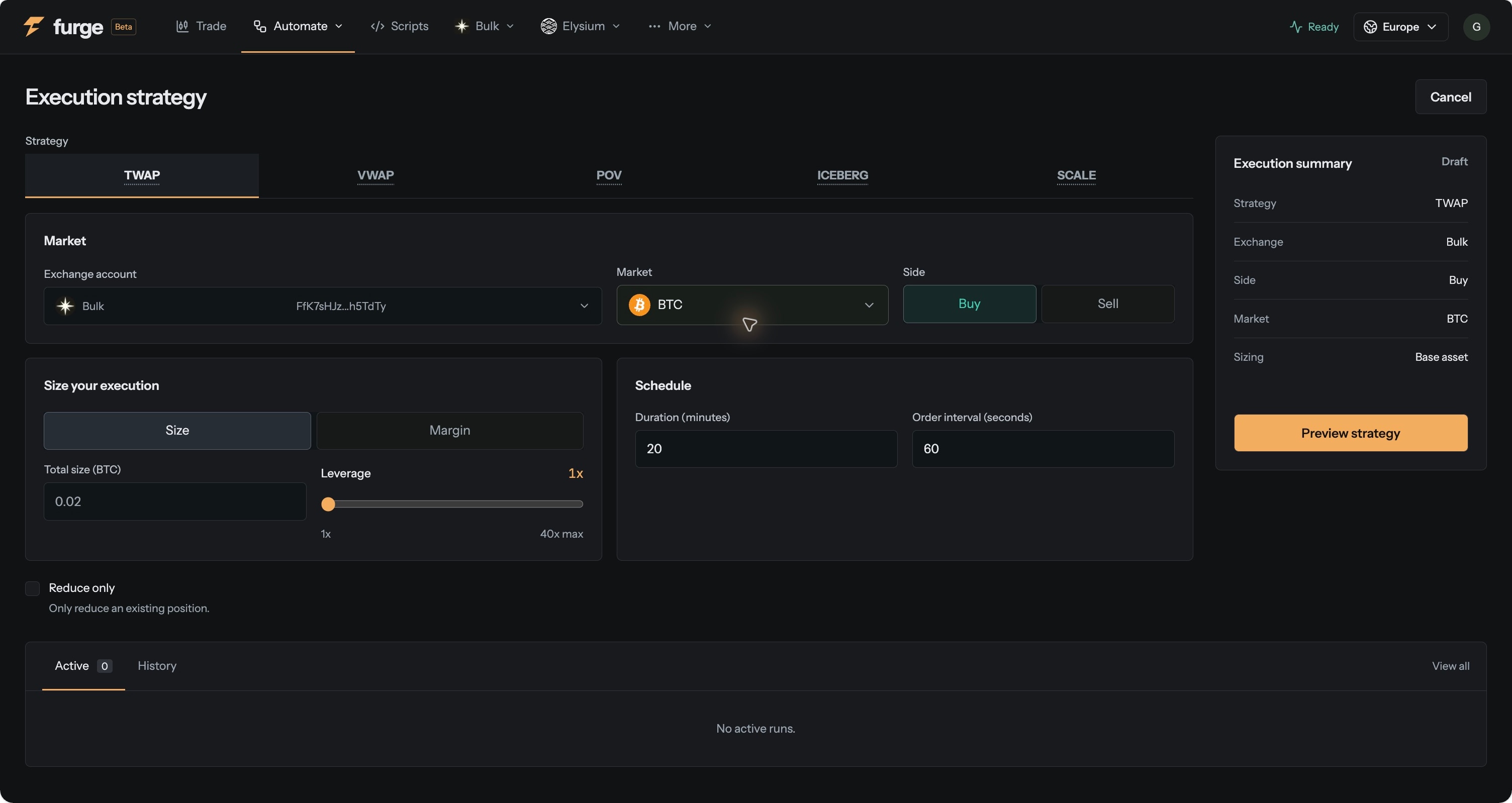
TWAP spaces orders across time. VWAP follows a volume trajectory. POV reacts to traded volume on the execution venue.
Iceberg works one displayed slice at a time. Scale distributes limit orders across a price range.
See the plan before you start, then follow order events, reported fills and remaining progress. Stop future execution from the run page instead of keeping a trading tab open.
A strategy turns one instruction into a managed series of orders. It runs in your daemon rather than relying on a page timer or a laptop connection.
Need rules beyond these five strategies? Build it in Scripting.
Supported perpetual venues: Bulk, Hyperliquid and HyperLink. Limit strategies can finish partially filled. No algorithm guarantees a better price.
 Nest